After The Match Premium
Stats, Summaries, and AI
VolleyTrack turns the match log into player stats, set context, and coach-friendly summaries.
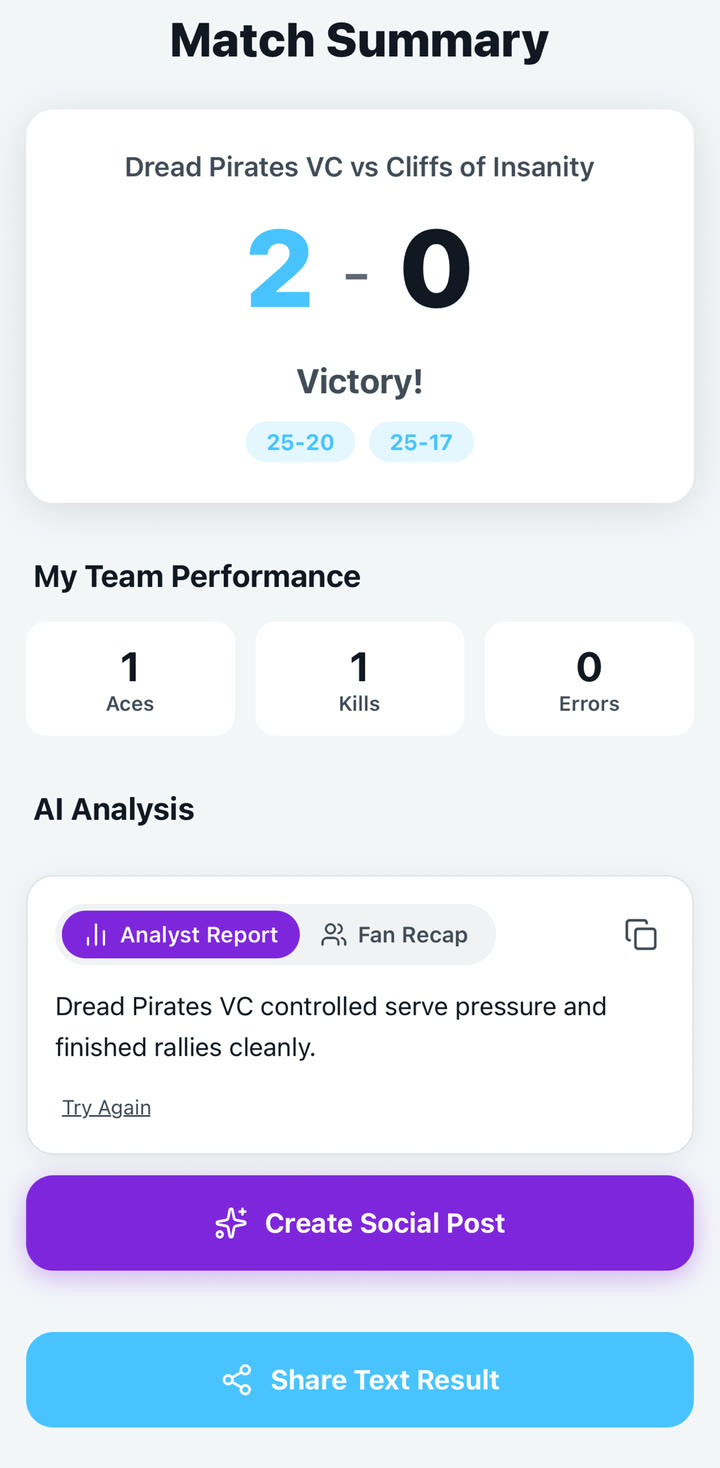
Quick answer: Finish the match, open the summary, review set scores and player stats, then generate an AI recap when you want coach notes or social copy.
Core stats to review
- Serving: aces, good serves, and serve errors.
- Attack: kills, good attacks, attack errors, and hitting context.
- Defense: digs, blocks, receive ratings, and errors.
- Flow: set scores, momentum, timeouts, and substitutions.
AI narratives
AI summaries are generated from the match record. They are useful for quick social posts, coach notes, and parent-friendly recaps, but they should be reviewed before sharing.
- Open the completed match summary.
- Choose the AI analysis option.
- Review the generated coach summary and social summary.
- Edit externally if you need a different tone or want to remove sensitive context.
Super Fan recaps
Fan-facing recaps are designed for spectators following a player or match story. They are separate from coach analysis and should stay positive, bounded, and appropriate for families.