Reusable Setup
Teams, Seasons, and Events
Use seasons and events when you want clean history, tournament organization, and less repeated setup before each match.
Quick answer: Create a season for the team roster, create events for tournaments or league nights, then schedule or start matches from the event. Use Quick Match when you need a one-off match or Just Score test.
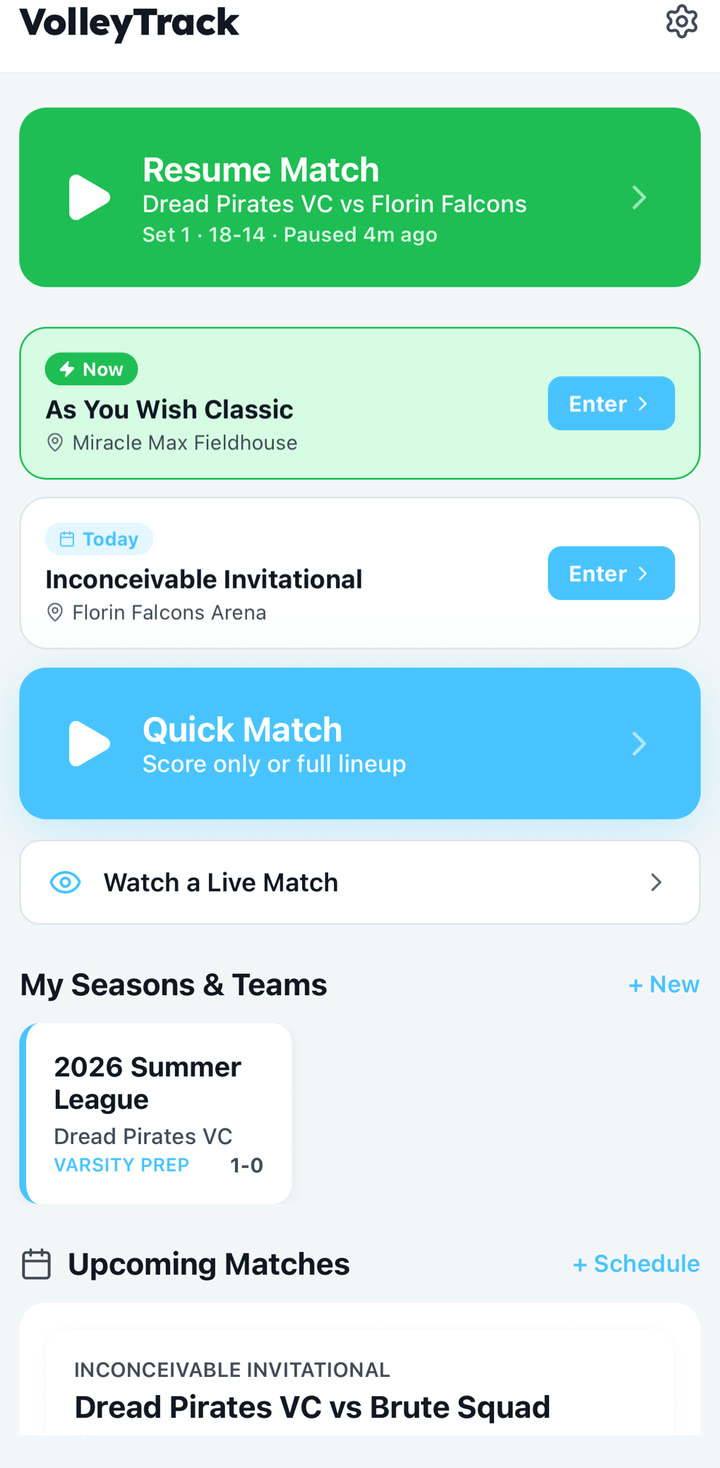
Recommended structure
- Season: The long-running team context, such as Dread Pirates VC 2026.
- Roster: Players and jersey numbers that can be reused across matches.
- Event: A tournament, summer league night, or multi-match setting.
- Match: One opponent and one scorekeeping session.
Create the roster
- Create or edit a season from the dashboard.
- Enter the season name, team name, level or league, and roster.
- Add each player with a jersey number and name. Jersey numbers are enough if you do not know every role yet.
- Save the season so the roster can be reused when creating event matches or Quick Matches.
Create events and matches
- Create an event for a tournament, summer league night, or recurring gym date.
- Add the event name, location, and start date so it is easy to find later.
- Create or start matches from the event, then choose the opponent, date, time, match format, and lineup.
Use the sample data pattern
The public examples use a fictional roster with two setters, two liberos, middles, pins, and defensive specialists. That mix is intentional because it exercises most match setup and substitution cases.
Practical roster tip: Jersey numbers are the most reliable identifiers for voice input and quick stat review. Add numbers even if you do not know every player well yet.
When to use Quick Match instead
Use Quick Match when you are testing, scoring a temporary roster, or do not care about long-term season organization. Quick Match can run in Just Score mode with no roster, or you can add players one at a time, paste a roster, or import a saved season roster.